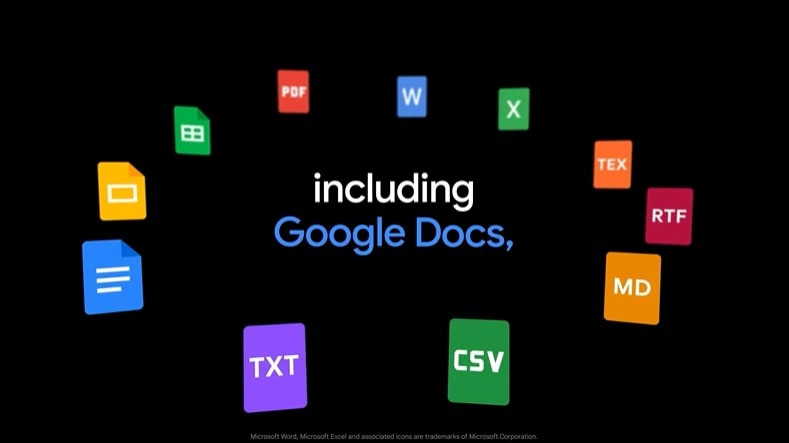
Google has updated Gemini so users can create files directly inside a chat, without moving to another app to finish the job.
According to Google’s official blog, the chatbot can now generate PDFs, Microsoft Word and Excel files, and Google Docs, Sheets, and Slides, along with several other formats, from a single prompt. Google said the change is meant to help users move “from a brainstorm to a complete file without ever leaving the Gemini app.”
Also Read | Is your WhatsApp secure? Meta reveals two bugs, urges users to install the latest version
🧵 This Week in AI (Apr 27 – May 3, 2026) #ThisWeekInAI
— Dharan (@DharanGanesan) May 3, 2026
1/ Gemini just got way more useful 🔥
Google’s AI can now create full files straight in the chat — Docs, Sheets, Slides, PDFs, Word, Excel & more. Just describe what you need and download it. Super handy for everyone! pic.twitter.com/YBrTdiU593
One prompt, multiple formats
The company says the feature is aimed at cutting out the familiar copy-paste-reformat cycle.
In its Workspace updates post, Google said Gemini can transform conversational prompts into “thoughtfully formatted files” and that users can export project plans to .xlsx or turn a course syllabus into a .docx file.
The feature currently supports Google Workspace files, PDF, .docx, .xlsx, .csv, LaTeX, .txt, .rtf, and Markdown, and Google says Gemini currently supports generating one file per prompt.
Also Read | New vehicle scrappage rules may dent auto sector profits by ₹25,000 crore
𝗚𝗼𝗼𝗴𝗹𝗲 𝗷𝘂𝘀𝘁 𝗱𝗿𝗼𝗽𝗽𝗲𝗱 𝘁𝗵𝗲𝗶𝗿 𝟭𝟬𝘁𝗵 𝗚𝗲𝗺𝗶𝗻𝗶 𝘂𝗽𝗱𝗮𝘁𝗲 𝗮𝗻𝗱 𝗶𝘁'𝘀 𝘀𝗵𝗶𝗳𝘁𝗶𝗻𝗴 𝗚𝗲𝗺𝗶𝗻𝗶 𝗳𝗿𝗼𝗺 𝗮 𝗰𝗵𝗮𝘁 𝘁𝗼𝗼𝗹 𝘁𝗼 𝗮 𝗱𝗮𝗶𝗹𝘆 𝘄𝗼𝗿𝗸 𝗹𝗮𝘆𝗲𝗿.
— Julian Goldie SEO (@JulianGoldieSEO) May 4, 2026
Six features dropped. Two of them change how you work every day.
Here's what's… pic.twitter.com/PC0gNg1MTh
Direct downloads and Drive export are now built into chat
The rollout is already available to all Gemini app users globally, including Google Workspace customers. Individual subscribers and personal-account users signed into the Gemini app. Google also says most formats can be downloaded directly to a device or exported to Google Drive.
In coverage of the launch, Sundar Pichai was quoted as posting: “No more copying, pasting, or reformatting, just prompt and download.”
The addition gives Gemini a more practical role in everyday work, especially for users who want draft-to-file conversion within the same interface. Google has not framed the feature as a separate app or premium-only tool but as a built-in capability for the Gemini experience.